

AI-generated artwork is everywhere right now. From social media graphics to logo ideas, it promises quick, low-cost design at the click of a button. For small businesses especially, that sounds like a dream. Why wait days for artwork when you can generate something in seconds?
But when it comes to print, things aren’t quite so simple. What looks great on screen doesn’t always translate well onto paper, signage or merchandise. And while AI can be a useful starting point, relying on it for final print-ready artwork can lead to unexpected issues, delays and extra costs.
When Should You Use AI for Artwork?
| Use AI For | Avoid Using AI For |
|---|---|
| Brainstorming ideas and concepts | Final artwork for print |
| Mood boards and visual inspiration | Anything with important text, such as posters, leaflets and signage |
| Social media drafts or quick visuals | Brand-critical materials such as logos and business cards |
| Exploring styles and layout directions | Large format prints such as banners, signage and exhibition stands |
| Internal presentations or rough mock-ups | Colour-sensitive work where print accuracy matters |
The Pros of AI Artwork
There’s no denying AI has its place. Used correctly, it can be a powerful creative tool.
Speed and convenience
AI can generate ideas almost instantly. If you need a quick visual concept or inspiration, it’s incredibly efficient.
Cost-effective for early concepts
For businesses working to tight budgets, AI can help explore ideas before committing to professional design work.
Creative exploration
AI can produce styles and visuals you might not have considered. It’s great for brainstorming and mood boards.
The Cons (Especially for Print)
This is where things start to matter for real-world use, particularly in print production.
Colour issues (RGB vs CMYK)
Most AI-generated artwork is created in RGB or using HEX colour codes, which are designed for screens. Print uses CMYK. This means colours can shift significantly when printed, often appearing duller or completely different.
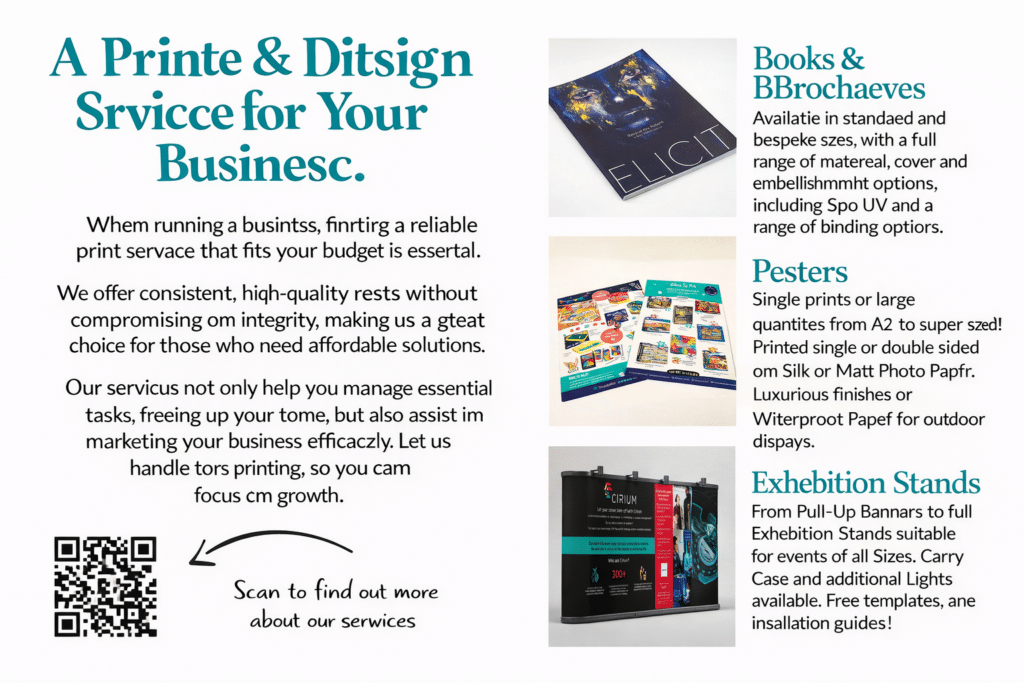
Text inaccuracies
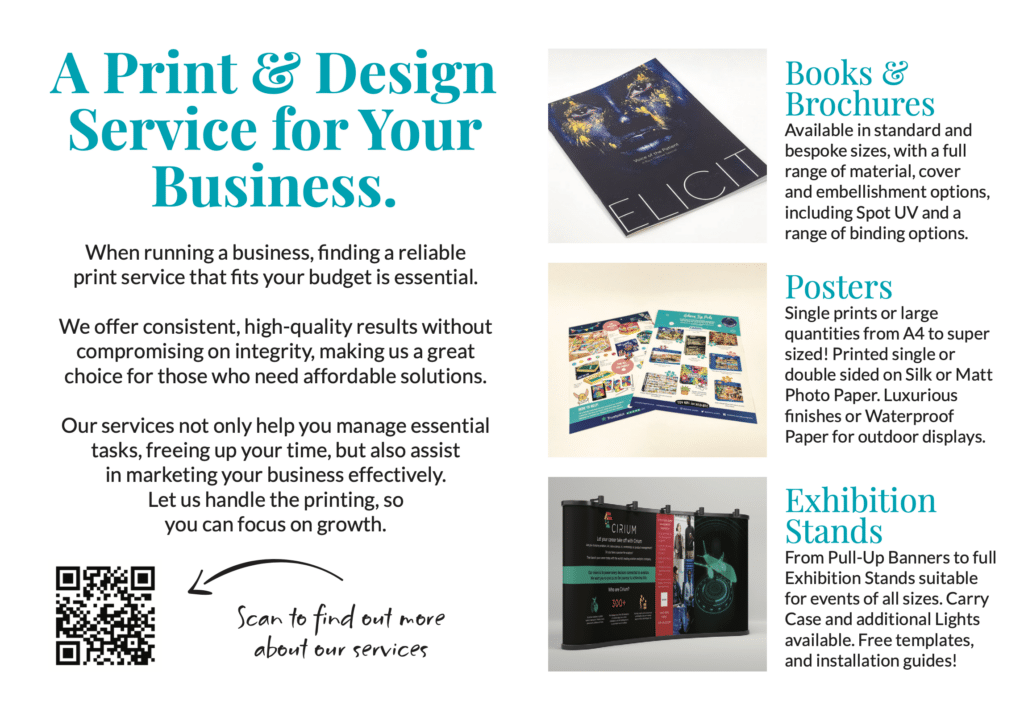
AI struggles with text. You’ll often see misspellings, incorrect fonts, or text that looks fine at a glance but falls apart when printed. This is a big risk for anything customer-facing.
Low or inconsistent resolution
AI images can look sharp on screen but may not meet the resolution needed for high-quality print. This can lead to blurry or pixelated results.
Lack of scalability
AI artwork is usually raster-based, not vector. That means it doesn’t scale cleanly. A design that looks fine on a social post may not work on a banner, sign, or large format print.
File setup issues
Print-ready artwork requires correct bleed, margins, colour profiles and formats. AI tools don’t account for this, which can cause production delays or require artwork fixes.
So, Should You Use AI?
Yes, but with the right expectations.
AI is brilliant for ideas, drafts and inspiration. It can help you get started quickly and visualise concepts. But for anything going to print, it’s best treated as a rough starting point rather than a finished product.
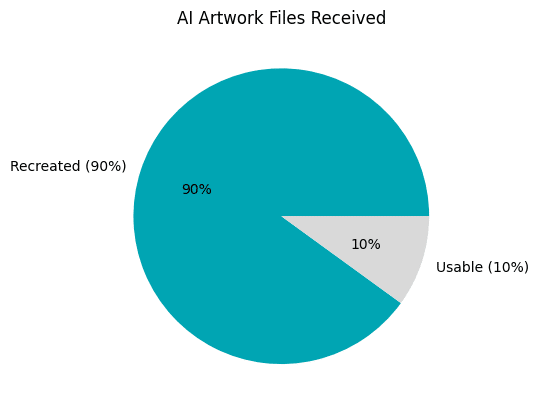
At SM1 Print Studio, we often see customers bring in AI-generated designs that need adjustments before they can be printed properly. A quick check or professional setup can make all the difference between something that just “looks okay” and something that truly represents your brand.
 Final Thought
AI isn’t replacing good design, it’s just changing how ideas are created. The key is knowing where it fits in the process.
If you’re unsure whether your artwork is print-ready, we’re always happy to take a look and guide you in the right direction.